Offline
An offline grammar checker for Mac
Updated November 23, 2026
Most grammar checkers, Grammarly included, send your text to a server and stop working without a connection. An offline checker does the work on your own computer: it works on a plane, and your text never leaves it.
Does Grammarly work offline?
No. Grammarly’s help center says it is “an online application, which means your computer must be connected to the internet.” Without a connection, the underlines stop and suggestions don’t load. The same goes for LanguageTool’s cloud service, ProWritingAid and QuillBot.
Meboki: AI grammar checking with Wi-Fi off
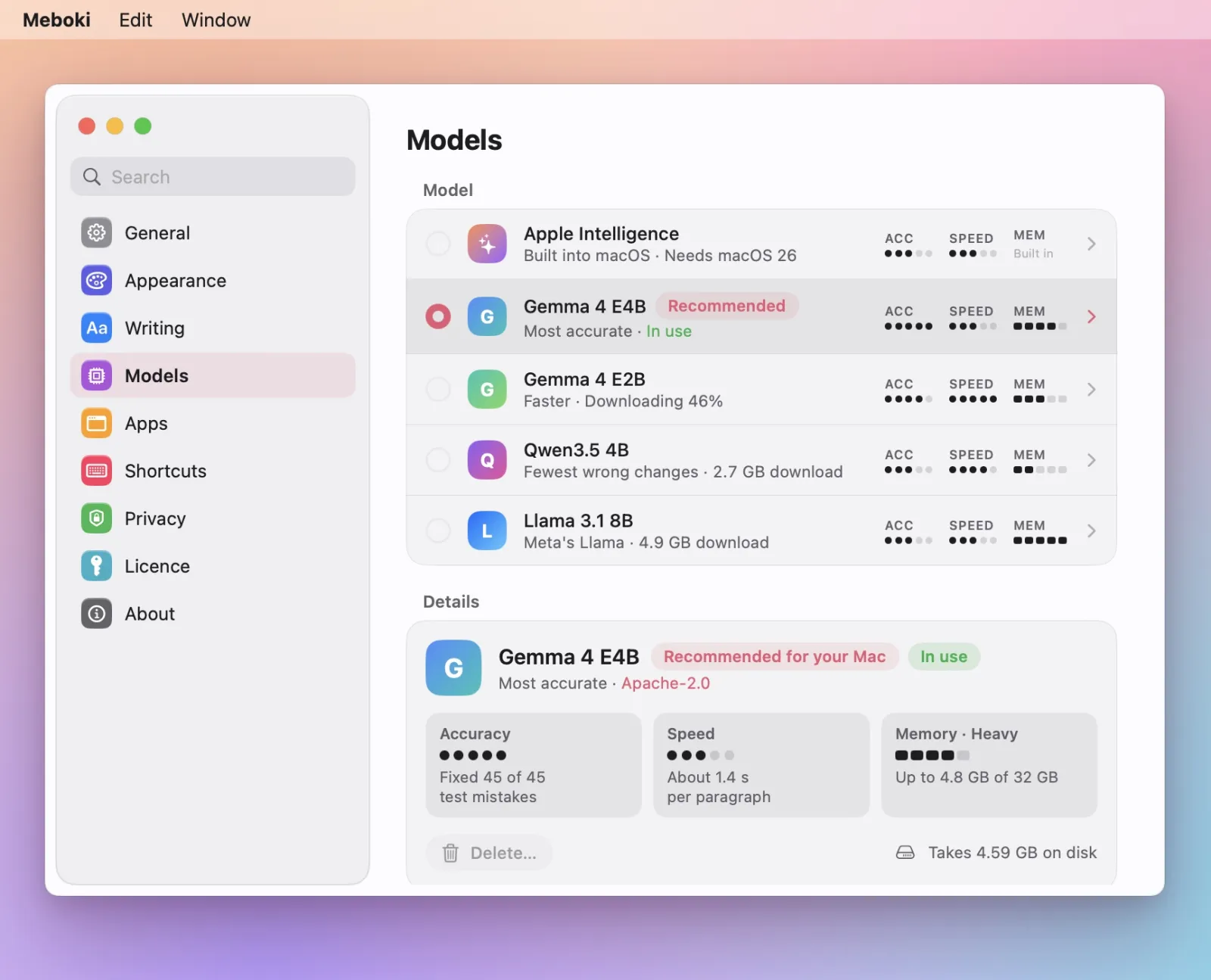
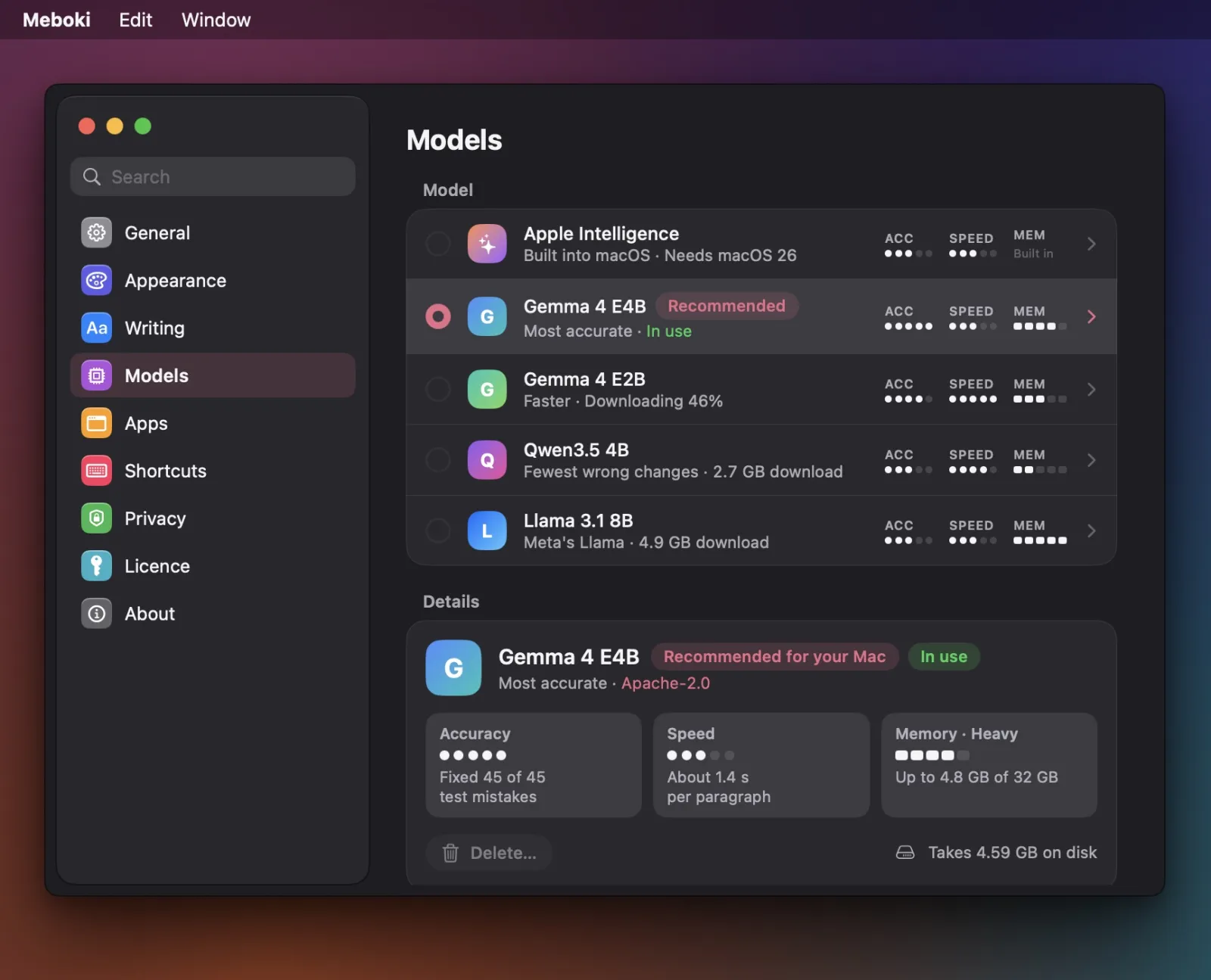
Meboki downloads a small open-source language model once (Gemma 4 E4B is 4.6 GB, E2B 2.8 GB), checks it with SHA-256, and from then on runs it on your Mac with a bundled llama.cpp server. Every check after that is local:
- Underlines as you type in Mail, Slack, Notion, Safari, Chrome, Google Docs, Pages, LibreOffice and other apps, with Wi-Fi off.
- About a second per paragraph on Apple Silicon. The model loads in a few seconds and unloads after 15 minutes idle to free memory.
- The only network use is the optional daily update check and, if you choose to add one, your own cloud API key.
- On Macs with Apple Intelligence (macOS 26), Apple’s built-in on-device model works too, with no download at all.
Because it is a language model, not a list of rules, it fixes mistakes that depend on the sentence: the right word spelled correctly in the wrong place, verb agreement across a long clause, a missing word.
Other offline grammar checkers
| Tool | How it checks | Offline on a Mac | Price |
|---|---|---|---|
| Meboki | Local AI model | Yes, every app | Trial, free hotkey mode, $39 once |
| Harper | Rules | Yes: browsers, editors, macOS app (beta) | Free |
| LanguageTool, self-hosted | Rules | Yes, if you run its Java server yourself; no AI rules | Free |
| Apple Writing Tools | Apple Intelligence | Mostly on device; complex requests may use Apple’s Private Cloud Compute | Free (macOS 15.1+, Apple Intelligence on) |
| macOS spelling | Dictionary and basic grammar | Yes, in native apps | Free |
| Grammarly | Cloud | No | Free or $144/year |
macOS has a built-in spelling and grammar check (Edit › Spelling and Grammar › Check Grammar With Spelling in apps such as TextEdit, Mail and Pages). It is free and offline but catches only simple mistakes, and many web and Electron apps don’t use it.
Who needs an offline checker
- People who write while travelling or on unreliable connections.
- Lawyers, doctors, researchers and anyone under an NDA, whose text shouldn’t reach a third party.
- Companies that block cloud writing tools on work Macs.
- Anyone who would rather not have a writing assistant upload what they type.
Questions
Can an AI grammar checker really run offline?
Yes. Small open models such as Gemma 4 run well on Apple Silicon. Meboki runs one locally and fixed all 45 mistakes in its test set with Gemma 4 E4B and left 21 of 22 correct sentences unchanged.
How much space does an offline AI grammar checker need?
Meboki’s models are 2.7 to 4.9 GB on disk and use up to about 5 GB of memory while loaded. On an 8 GB Mac, Gemma 4 E2B or Apple’s built-in model (no download) are the right picks.
Is there a free offline grammar checker?
Harper is free and offline. Meboki has a 7-day trial and then a free hotkey mode that keeps working offline. macOS has a basic built-in spelling and grammar check.
Does Grammarly have an offline mode?
No. Grammarly needs an internet connection to check text.
Sources
Facts about other products were checked on November 23, 2026. Prices and policies change; the linked pages are the final word.